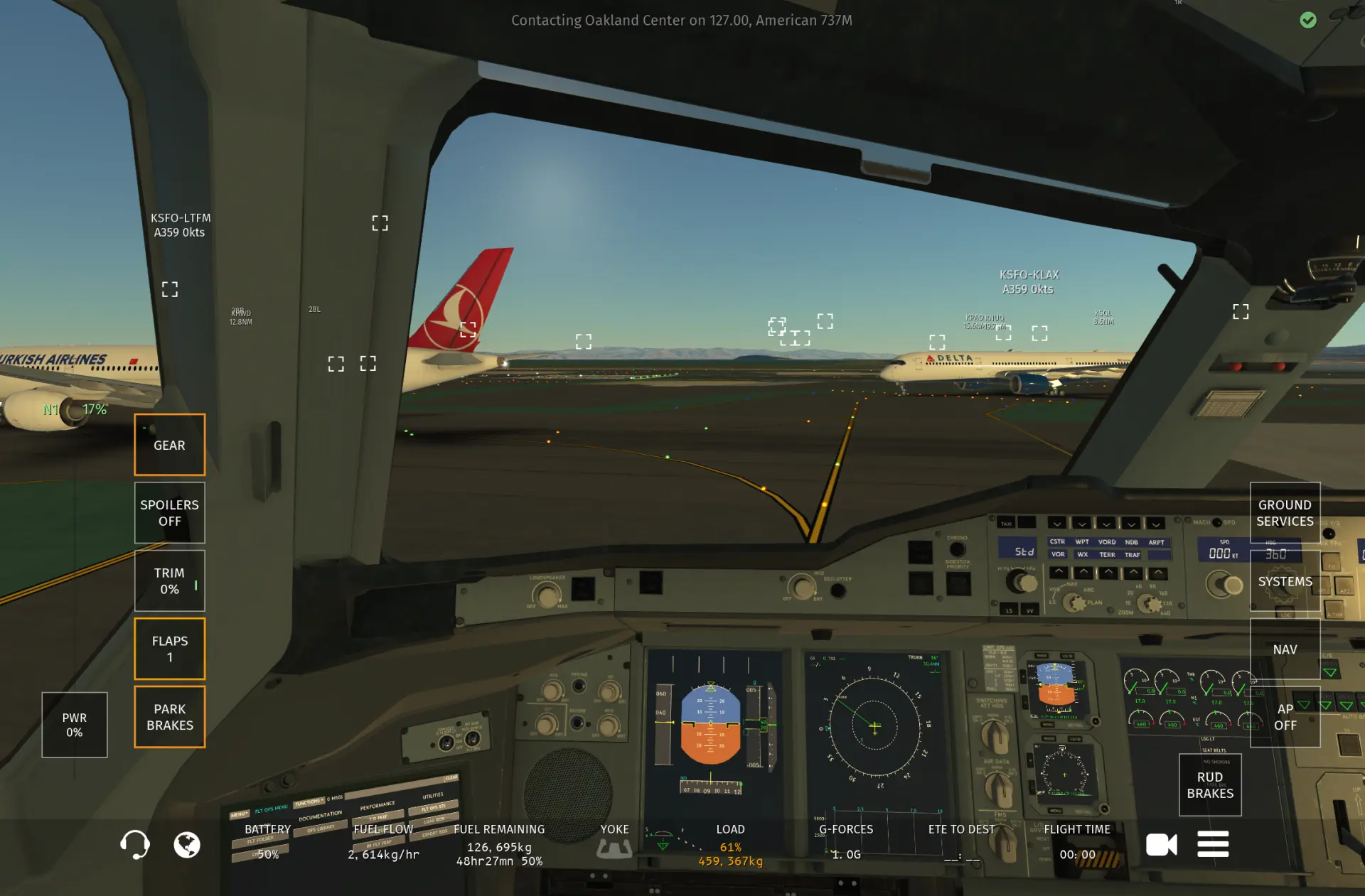
Your joystick.
Your sim.
Finally connected.
Yaw Beach bridges your USB joystick to Infinite Flight over WiFi. No jailbreak. No hacks. Just plug in and fly.
Features
Everything you need to fly
From auto discovery to calibration curves, built for flight sim pilots who demand precision.
Auto Discovery
Finds Infinite Flight on your network automatically. No IP address typing.
Device Detection
Automatically detects USB joysticks and flight controllers.
One-Click Mapping
Click a command, move your stick, mapped. No config files, no hex codes.
Calibration
Deadzone, inversion, and three sensitivity curves with live preview.
Profiles
Save setups per device. Duplicate, rename, export as JSON, share with friends.
Live Preview
See your calibrated axis output in real time (-1 to +1) before you fly.
Conflict Detection
Warns you if you accidentally map the same input to two commands.
Auto Reconnect
Connection drops? Yaw Beach will attempt to reconnect automatically.
Interactive Guide
8 step walkthrough with progress tracking and FAQ. Fly in minutes.
Why Switch
Built for pilots who outgrew Map Connect
Map Connect and LiveFlight Connect pioneered joystick support for Infinite Flight. Yaw Beach picks up where they left off with auto discovery, real time calibration, and a modern interface designed for serious flight sim setups.
No more manual IP addresses
Map Connect can auto-discover Infinite Flight too, but it can be flaky or slow and may still require manual IP configuration. Yaw Beach discovers Infinite Flight on your network automatically, so setup is usually just open and connect.
Live calibration with visual feedback
Most joystick bridges offer basic axis mapping. Yaw Beach gives you real time axis preview, deadzone adjustment, and sensitivity curves so your Thrustmaster or Logitech stick feels exactly right before you take off.
Conflict detection built in
Accidentally mapped throttle to two inputs? Yaw Beach catches it instantly. No more mid-flight surprises because of a duplicate binding you didn't notice.
Profiles that travel with you
Save, duplicate, and export your controller mappings as JSON. Switch between joystick setups in one click instead of remapping every session like older tools require.
Reliable auto-reconnect
WiFi dropped for a second? Yaw Beach will attempt to reconnect automatically. In rare cases you may need to restart the app, but this is uncommon. A big improvement over Map Connect and LiveFlight Connect.
38+ commands across 7 categories
From flight axes and brakes to camera controls and system toggles, Yaw Beach supports every Infinite Flight Connect API command, mapped with a single click.
Map Connect is a great open-source project by Map-Flight Studio. Yaw Beach is built for pilots who want a more polished, feature-rich experience with zero configuration.
How It Works
Six steps to flight
From plugging in your controller to flying in under two minutes.
Connect your controller
Plug your USB joystick into your computer. Yaw Beach detects it automatically.
Open Yaw Beach
Launch the Yaw Beach app on your desktop. Your controller appears instantly. No configuration needed.
Map your controls
Assign buttons and axes to Infinite Flight commands directly in Yaw Beach. Click a command, move your stick, mapped.
Open Infinite Flight
Launch Infinite Flight on your device and make sure "Infinite Flight Connect" is enabled in settings.
Click Connect in Yaw Beach
Hit Connect and Yaw Beach discovers the sim on your WiFi automatically, or enter the address manually.
Remap axes in Infinite Flight
In Infinite Flight's settings, remap the controller axes for throttle, pitch, roll, and yaw to match your physical inputs.
Compatibility
Supported hardware
Works with any standard USB HID joystick.
Thrustmaster
Airbus Edition, TCA Sidestick, and more
Logitech
Extreme 3D Pro, X56, Flight Yokes
Turtle Beach
VelocityOne Flight, VelocityOne Flightstick
Generic USB
Any HID-compliant joystick
Commands
38+ commands, 7+ categories
Full control over every aspect of your aircraft.
FAQ
Frequently asked questions
Everything pilots ask before switching from Map Connect or LiveFlight Connect.
Do I need to enter an IP address to connect to Infinite Flight?
No. Yaw Beach automatically discovers Infinite Flight on your local WiFi network, so there is no manual IP address entry required. Just make sure both devices are on the same network, open Yaw Beach, and click Connect.
Which joysticks and controllers are supported?
Yaw Beach works with USB joysticks. We highly recommend the Thrustmaster Airbus Edition, Logitech Extreme 3D Pro, and Turtle Beach VelocityOne. Any standard USB HID compliant joystick should work out of the box.
Does Yaw Beach work on both Mac and Windows?
Yes. Yaw Beach supports both macOS (including Apple Silicon) and Windows. Download the version for your platform and you're ready to fly.
What happens if my WiFi disconnects during a flight?
Yaw Beach will attempt to reconnect automatically. In rare cases you may need to restart the Yaw Beach app to restore the connection, but this is uncommon.
How does calibration work?
The calibration system asks you to move each axis to its maximum, minimum, and center positions so Yaw Beach can capture the full range of motion. This is mostly needed for the throttle axis and is rarely required for other axes like pitch or roll.
How do I map buttons and axes to Infinite Flight commands?
One click mapping. Select a command from the list, then move the stick or press the button you want to assign. No config files, no hex codes. Yaw Beach supports 38+ commands across 7 categories including flight axes, brakes, flaps, gear, lights, camera, and system controls.
What if I accidentally map the same input to two commands?
Yaw Beach has built in conflict detection. If you assign the same button or axis to multiple commands, it warns you immediately. No more mid flight surprises from duplicate bindings.
Can I save and switch between controller profiles?
Yes. You can save controller mappings as profiles, duplicate them, rename them, and export them as JSON to share with friends. Switching between setups takes one click.
Is Yaw Beach a replacement for Map Connect or LiveFlight Connect?
Yaw Beach is a modern alternative to both. Map Connect and LiveFlight Connect pioneered joystick support for Infinite Flight, but LiveFlight Connect was deprecated in 2020 and is no longer maintained. Yaw Beach adds auto discovery, real time calibration, conflict detection, profiles, and auto reconnect.
Does my controller need to be plugged directly into my phone or tablet?
No. Your USB joystick stays plugged into your computer. Yaw Beach runs on your desktop and bridges controller input to Infinite Flight over WiFi using the Infinite Flight Connect API. No jailbreak or special hardware required.
Is a WiFi connection required the entire time?
Yes. Yaw Beach communicates with Infinite Flight over your local WiFi network in real time, so both your computer and your device running Infinite Flight need to stay on the same network throughout your flight.
My joystick isn't being detected. What should I do?
Make sure your controller is plugged in via USB before launching Yaw Beach. Yaw Beach uses standard USB HID detection, so any joystick that works in other desktop apps should be recognized automatically. Try unplugging and replugging the device, or restarting Yaw Beach.
Ready for takeoff?
Download Yaw Beach, plug in your controller, and experience Infinite Flight like it was meant to be played.
3-day free trial. License key required after trial. No account required.